
No more files/versions lost in
Drive/Slack/Email back-and-forth
Drive/Slack/Email back-and-forth
from onboarding to sign-off.
Streamline revision requests while professionally
hiding the internal chaos from your clients.
*ZERO SETUP REQUIRED FOR YOUR CLIENTS
Time Savings
Save 90% of the time spent on administrative tasks.
Professional Experience
Impress clients with clean intake forms and organized handoff portals that make your agency look reliable.
No manual errors
No more missing assets, wrong versions, or lost attachments - everything lives in one secure place.
Peace of mind
Know what needs your attention the most with real-time dashboards and automatic notifications.
The End of all
Client Handoff Chaos.
Stop dealing with messy email threads, repetitive forms, incorrect assets, and files scattered everywhere.
Reusable Templates.
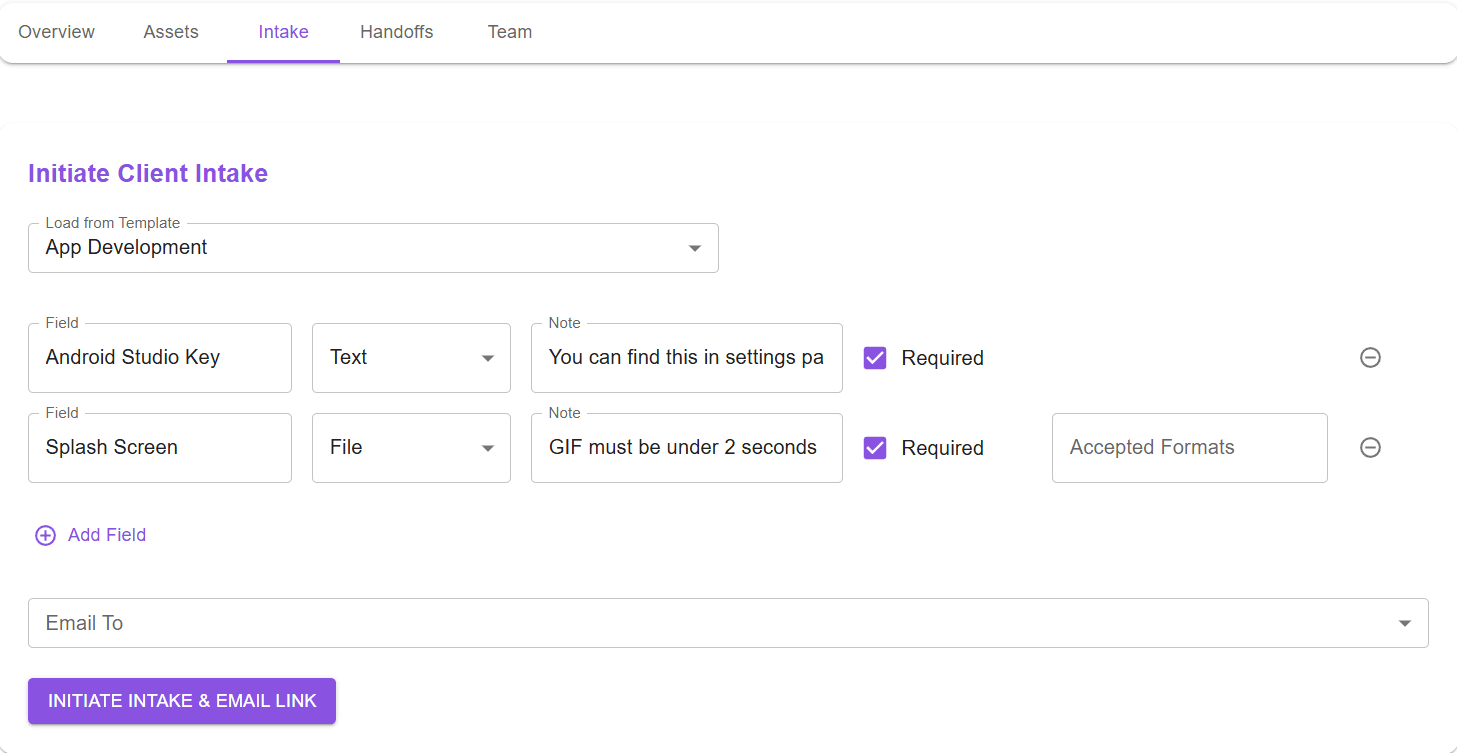
Save your custom-built templates and checklists for both client intake forms and final deliverable handoffs.
Customize the Template on-demand.
Instantly load any saved template for a new intake form or handoff; completely customizable in a click.
Automated Emailing.
Select recipients from the project's saved stakeholder list; a secure link to the form/handoff is instantly sent to only these stakeholders.
Exportable PDF Summaries.
Generate a detailed PDF summary of all client intake form responses and submitted assets.
One-Click Asset Review.
Approve or Decline any client-submitted asset with a single click.
Automated Reminders.
Automatic emails and notifications are sent to the client and the agency team for missing assets which are required, as the deadline approaches.
Intelligent Re-Submission Forms.
A new re-submission form is automatically created and sent to the client, having all the declined assets with reason(s) for rejection. This also supports multiple correction cycles
Google Drive Auto-Export.
Any asset upon approval is automatically exported to a dedicated folder for that project in the agency's Google Drive.
Centralized Action Dashboard.
A dedicated dashboard for each user provides at-a-glance insights and an "Attention Required" section with tasks sorted by urgency.
Loved by Creative Agencies
Beta Tester
Owner of a Creative Agency in London
Beta Tester
Project Manager at a Marketing Agency in Philadelphia
Pricing for every Agency Size
Starter
All features
Up to 5 completed projects per month
Up to 4 team members
Growth
All features
Up to 20 completed projects per month
Up to 15 Team Members
Enterprise
Custom Project Volume & Seat Capacity
Dedicated White-Labeling for forms & portals
VAT may be applicable depending on your location.
Frequently Asked Questions
- Does OpexFox replace our Project Management tool (like Asana or Trello)?
- NO, OpexFox is a specialized tool that focuses only on solving client-facing chaos: getting assets in and final deliverables out. It works alongside your existing project management tools (if any) to ensure that file collection and approval never become a bottleneck.
- How fast is the onboarding process for us?
- It's instant. Once your reusable templates are saved (optional), you just have to select recipients, and the form is live in seconds. The automation handles all the follow-ups, reminders, and file organization securely.
- Who owns the client data and where are our files stored?
- YOU own all your data and assets. OpexFox acts only as the secure bridge for collection, approval and handoff. Any link generated for file access expires automatically after 60 minutes for security purposes. All your files are stored securely on enterprise-grade AWS S3 infrastructure with industry-standard AES-256 encryption and are never accessible to anyone on our team.
- Do our clients need to create an account or learn a new platform?
- NO, Your clients receive a unique, secure link via email. They simply click the link to access the form or handoff portal. They can submit assets and provide formal approval without ever needing to sign up or log in, ensuring a frictionless, professional experience.
- How much time does it take to train our team?
- You can be up and running in under 5 minutes. Linking your Google Drive (coming soon) and setting up templates are optional. Because the client-facing side requires no login, training your clients requires zero time or effort. The app in itself is very intuitive and requires no separate training.
- Do you offer a free trial or money-back guarantee?
- YES, We offer a 14-day free trial so you can run a full project cycle before paying anything. We're confident you'll see the hours saved immediately, but if you're not satisfied, you can cancel anytime with no penalty.